


Project: Bagcart.ae
Every project starts with a conversation—and this one was no different.
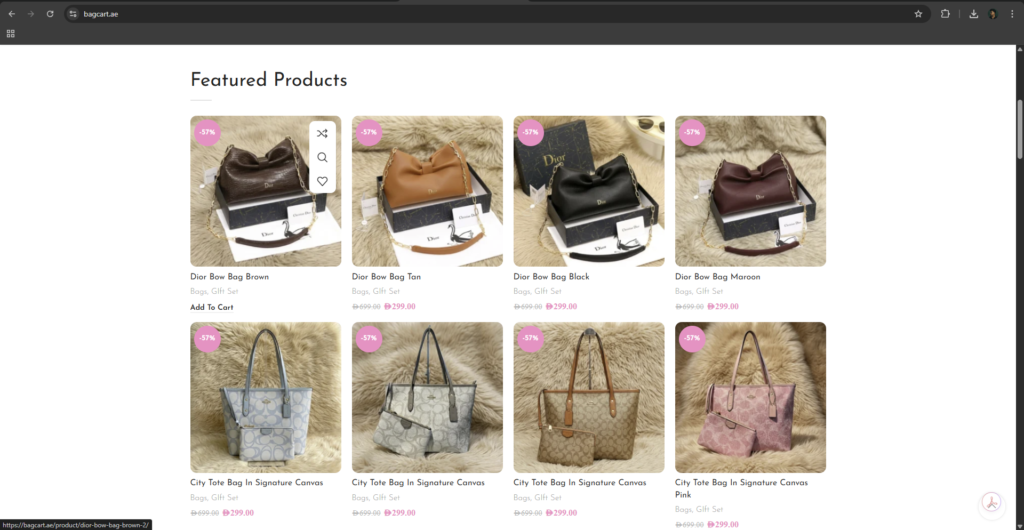
When I first got this project, the goal was clear: build a clean, fast, and professional e-commerce website that could handle a large number of products and actually convert visitors into customers. It wasn’t just about making it look good—it had to work smoothly, load fast, and support real sales.
The Beginning
I started by understanding what the client really needed. They wanted a website that could manage around 1,500 products, with a simple shopping experience and multiple payment options.
At this stage, I focused on planning:
- How the products would be organized
- How users would navigate the website
- How to keep the system fast even with many items
I knew early on that structure would be everything.
Building the Foundation
Once the plan was clear, I moved into development.
I created a clean and modern layout, making sure it works perfectly on mobile, tablet, and desktop. Most users shop using their phones, so mobile responsiveness was a priority from the start.
Then came one of the most time-consuming parts—uploading and managing 1,500 products.
Instead of doing everything manually, I used bulk import methods to:
- Upload product details efficiently
- Organize categories properly
- Optimize images for speed
This saved time and kept everything consistent across the website.
Making Payments Easy
A big part of any e-commerce website is how customers pay.
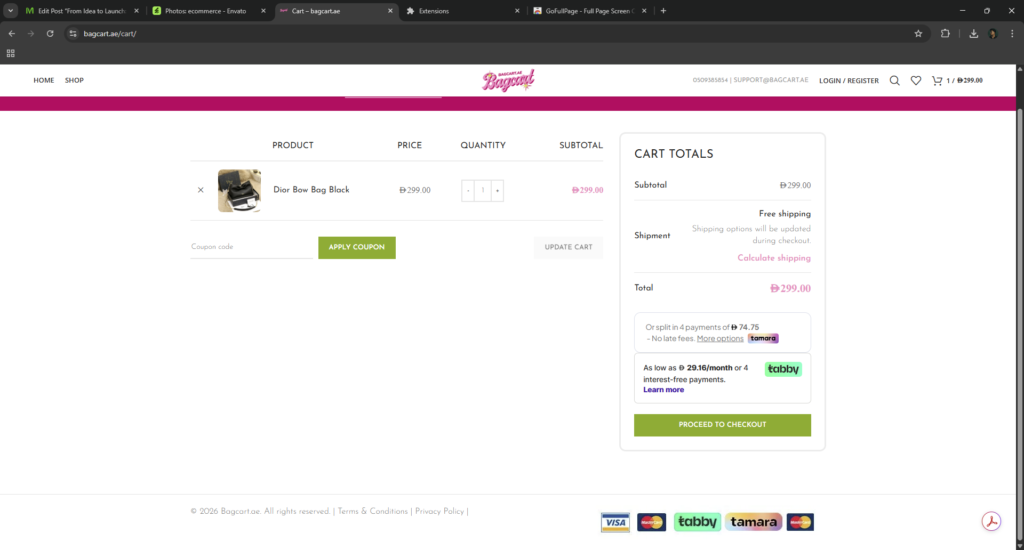
I integrated multiple payment gateways so users would have flexibility. Whether it’s card payments or “Buy Now, Pay Later,” the goal was to remove friction during checkout and increase conversions.
That’s where Tabby integration came in.
The Challenge I Faced
Everything was going smoothly—until I noticed an issue with Tabby.
The products were not syncing properly, which meant:
- Some items were not showing in the Tabby system
- The integration wasn’t performing as expected
- It was affecting potential sales
This was a critical problem, especially since Tabby is a key feature for boosting conversions.
Finding the Solution
Instead of ignoring the issue, I dug deeper.
After troubleshooting, I realized the problem was related to server performance and configuration.
Here’s what I did:
- I changed and upgraded the server to improve speed and API communication
- Adjusted system settings for better compatibility
- Enabled all countries in Tabby settings to ensure full product syncing
The Result
After applying these fixes, everything started working perfectly.
- Products synced properly with Tabby
- Items became visible inside the Tabby platform
- The client started seeing better sales performance
This wasn’t just a technical fix—it directly impacted the business.
Final Outcome
After completing the project, the website became:
- A fully functional e-commerce platform
- Capable of handling 1,500 products smoothly
- Optimized for speed and performance
- Equipped with multiple payment options
- Ready to generate real sales

Looking Back
This project reminded me that building a website is more than just design and development. It’s about solving problems, adapting, and making sure everything works in real-world situations.
From the first discussion to the final launch, every step was focused on one goal:
creating a website that doesn’t just look good—but actually performs.